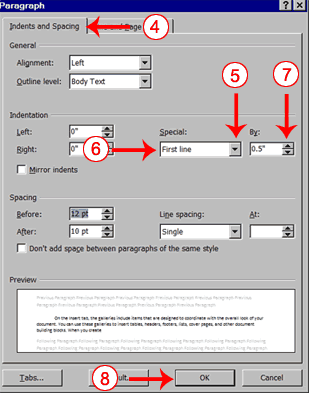
 refer to different orientations of the paper -- whether it is oriented vertically or horizontally. A page with portrait orientation, typical for letters, memos, and other text document, is taller than it is wide.
Wednesday, April 28, 2010
portrait orientation
refer to different orientations of the paper -- whether it is oriented vertically or horizontally. A page with portrait orientation, typical for letters, memos, and other text document, is taller than it is wide.


Thesaurus

is a book that lists words grouped together according to similarity of meaning (containing synonyms and sometimes antonyms), in contrast to a dictionary, which containsdefinitions and pronunciations
Template
 a standardized file type used by computer software as a pre-formatted example on which to base other files, especially documents
Superscript
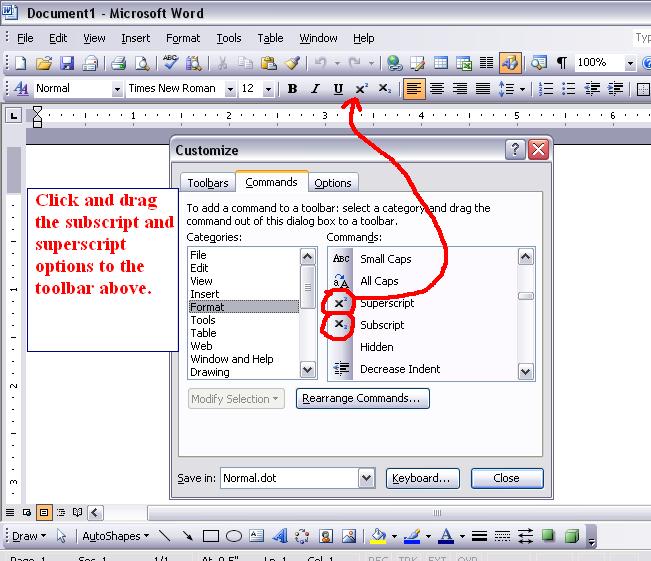
style
 where you are allowed to change the color or set or writing you want to appear on your document
Sizing handles

they are small boxes that appear on the corners of a document or image and allows you to adjust the size of the document or image


Footnote
 notes that are added to a document to show the source of borrowed material or provide extra or explanatory information about the text
Footer

is that material which is separated from the main body of text and it appear at the bottom of a printed page
Endnote
 a note of text that isnotes that are added to a document to show the source of borrowed material or provide extra or explanatory information about the text


Desktop Publishing

it allows yous you to create a professional-looking document using a personal computer
Crop

you can in other words resize the picture but instead you are cutting of some space from the picture

Banner
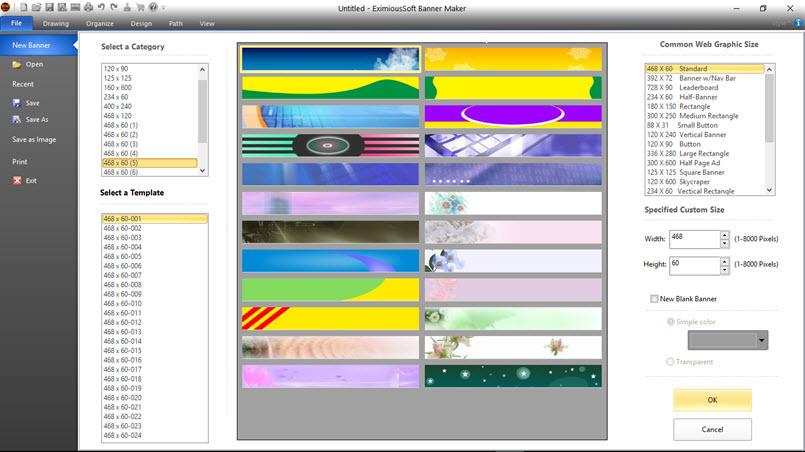 its a graphic image that is used to advertise product or other things on a website its usually rectangular
Friday, April 23, 2010

Landscape orientation

its when you change the shape of the document to a rectangle so when you print it out it will come out side ways
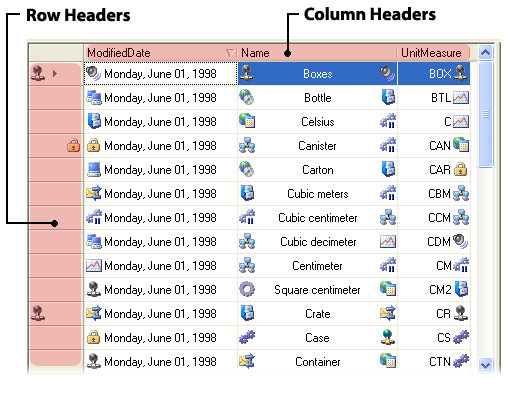
Cell

a cell are boxes that are made up from the horizontal lines and vertical lines which can be filled up with contents
Monday, April 19, 2010




Thursday, April 15, 2010
Table
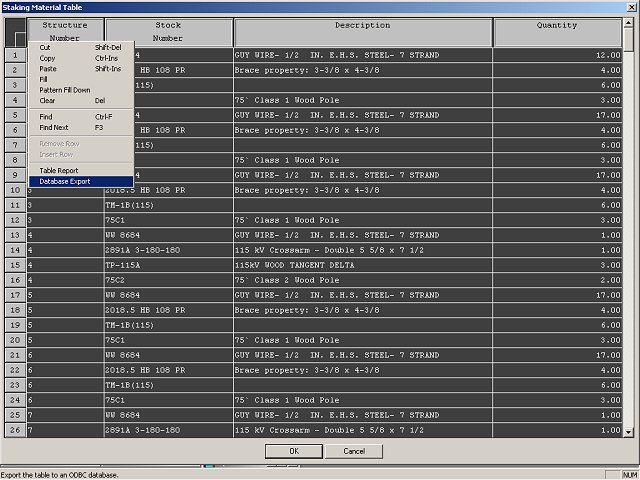
is a set of elements(values) thats is organized using a model of vertical columns n horizontal rows
Tuesday, April 6, 2010




Subscribe to:
Posts (Atom)